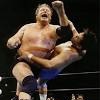
Posted October 17, 201312 yr comment_5567716 This was like the blueprint for a Portland tag. Regal and Sawyer started out with focused, aggressive armwork, mostly on Oliver. Eventually, Oliver pushed close enough to his corner that Buddy was able to enter off a shady tag. He just destroyed Sawyer at that point -- flying elbow, knee drop, press slams. Regal kept running in to break up tags, but Oliver finally put Sawyer away with a Buddy-assisted shoulderbreaker. It was one of those first falls that could stand as a solid match on its own. Oliver and Buddy started the second with a vicious attack on Sawyer's shoulder. Sawyer took some big bumps to put over the heel offense. After a few minutes, he slammed a distracted Buddy off the top turnbuckle and made the hot tag to Regal. We got a few minutes of fire from the babyfaces before Sawyer pinned Buddy with a sunset flip. Regal and Sawyer went back to the armwork in the third fall, and the heels responded with their own arm attack on Regal. The action remained hot until they hit the TV time limit. The match was not without its flaws. The structure got a little ragged in the third fall, in part because of a sub-par performance from Sandy Barr. But it was packed with plenty of good stuff, from Rose and Oliver's excellent offense to a big underneath performance by Sawyer. Another solid nomination. New Portland Disc 20