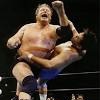
Posted October 19, 201312 yr comment_5568023 Henning was coming back from a knee injury, and Buddy had just promised to "get back to hurting people." So it wasn't hard to guess how this one would unfold. Except Henning went after Buddy's leg before Buddy could go after his. Curt's attack went on for awhile, with some parts better than others. My favorite was him trying to bend Buddy's foot into Buddy's mouth. Buddy eventually clubbed Henning behind the knee to turn the tide. And he followed with his own leg attack , which came off as more intense than Henning's. As you'd expect, Buddy remembered to sell his own knee while on offense. We got a nice comeback tease with Curt punching Buddy's leg to break a submission attempt. But Buddy cut him off and finished him with a half crab. There were only four minutes left as the second fall started, so a crap finish seemed likely. But Buddy started the fall with more nasty legwork until Henning was able to catch him in the corner and start ramming Buddy's knee into the post. Barr ordered him to stop but an enraged Henning refused, thus earning a DQ and losing in two straight falls. I actually thought that was a cool way to deal with the scant amount of time remaining. Henning got to show his fire, and they paid off the theme of the match. Some might find this a little one-note given that they never moved past the leg stuff. But it was a solid nomination for me. New Portland Disc 23